Direct Map Editor
 1 / 12
🌐 Supported Languages English / 日本語 / 简体中文 Latest Update Improvements & Fixes ・Added support for removing temporary terrain (Temporary Terrain) Temporary terrain such as thin ice, floodwater, and shallow lava can now be removed using the existing "Floor Erase" tool or the "Floor
🌐 Supported Languages
English / 日本語 / 简体中文
Latest Update
Improvements & Fixes
・Added support for removing temporary terrain (Temporary Terrain)
Temporary terrain such as thin ice, floodwater, and shallow lava can now be removed using the existing "Floor Erase" tool or the "Floor" option in Area Erase.
※Deep lava is not temporary terrain and is therefore not included as a deletion target. It can still be edited by overwriting it with another terrain type, just like other regular terrain.
・Fixed an issue where placement, deletion, and other map editing actions could sometimes fail to respond in certain environments.
・Improved cell tracking during drag operations, making editing less likely to skip cells during fast mouse movement.
You can update directly from an existing save.
Direct Map Editor
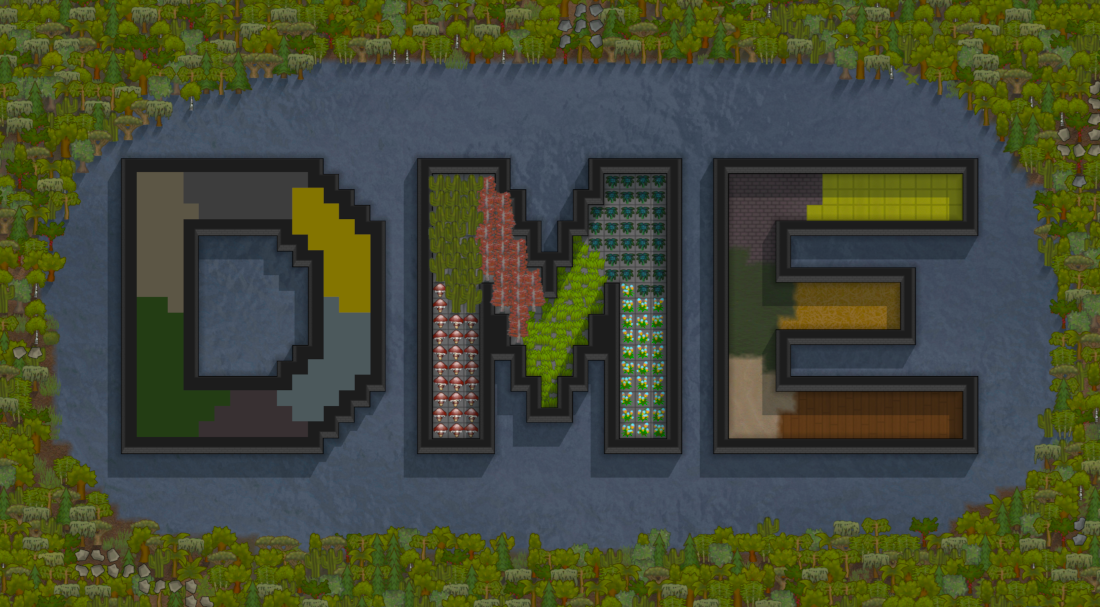
A map editor for directly editing the current map in-game.
Place, edit, and remove buildings, floors, natural terrain, water, rocks, ores, plants, roofs, and more without pawn work or resource costs.
DME automatically detects supported content from loaded mods and provides search, favorites, history, Quick Place, eyedropper tools, brushes, rectangle editing, area deletion, Undo / Redo, and more.
Main Features
・Direct editing of buildings, floors, natural terrain, water, rocks, ores, plants, roofs, and more
・Automatically detects supported content from loaded mods
・Search and filtering by category or mod
・Material selection for buildings
・Favorites, history, and Quick Place
・Eyedropper for selecting objects directly from the map
・Objects selected with the eyedropper are automatically added to history
・Cell state copying
・Single-cell, drag, and rectangle placement
・Square / circular brushes
・Random placement of multiple plant types
・Single-cell, drag, and rectangle deletion
・Deletion of items, buildings, terrain, plants, rocks/ores, roofs, fog, power lines, and temporary terrain
・Selectable deletion categories
・Overwrite placement within compatible categories
・Q / E rotation for placement direction
・Grid display for editing areas
・Undo / Redo for up to 20 operations
・Change Player-owned buildings to Unclaimed
・Individually adjustable display width for each DME tool gizmo
How to Use
Open DME → Map Editor from the Architect menu.
Select an object from the dedicated UI and place or edit it directly on the map.
Frequently used objects can be added to Favorites. Used objects and objects selected with the eyedropper are saved to History and can be quickly accessed through Quick Place.
Use Q / E to rotate objects during single placement.
Brush size can be set up to 20 cells. Rectangle placement and deletion support up to 1,600 cells per operation.
Random Placement allows you to select multiple plants and set placement density. Plant selections and density are saved.
Overwrite Placement
Overwrite Placement is enabled by default.
For safety, overwriting is limited to supported objects of the same type or category.
Terrain can replace terrain, plants can replace plants, and compatible buildings can replace buildings.
This does not forcibly remove objects from unrelated categories. Use the deletion tools first when necessary.
Undo / Redo
Up to 20 editing operations are stored in history.
Undo / Redo is intended as a recovery tool for editing mistakes. Special objects or map states may not always be restored perfectly.
Single operations affecting more than 5,000 cells are not stored in history. Saving before large edits is recommended.
Adding / Removing Mid-Save
DME can be added to existing saves.
Removing DME later will generally leave map edits made with DME intact.
However, this does not apply if you remove another mod that provides objects placed through DME.
DLC & Mod Compatibility
No DLC is required. DME is developed and used with Ideology / Biotech / Odyssey enabled in the author's environment.
DME automatically detects supported Defs from loaded mods.
However, full compatibility with special DLC or mod-specific behavior and placement requirements is not guaranteed. Some special objects may behave differently or may not be placed correctly through DME.
Mod Settings
Options → Mod Settings → Direct Map Editor
DME's editing features can be enabled or disabled. They are enabled by default.
How do you use DME?
I'm curious about how people actually use DME in their games.
Whether it's for small map adjustments, terrain editing, building, fixing generated maps, or something I may not have expected, feel free to share how you use it in the comments.
Your use cases may also help guide future updates and improvements.
Bug Reports
If you encounter a problem, please include the following information if possible:
・Object / target name
・DLC or mod name
・DME operation used
・Steps to reproduce
・Error log
Required Mods
None
Harmony is not required.
For RimWorld 1.6.
⚠ Editing Warning
No serious issues affecting save data have been found in the author's environment so far.
However, it is impossible to predict or test every combination of DLC, mods, and unusual map edits.
Before making large or unusual edits, creating a separate save as a backup is strongly recommended.
Distribution & Modification
Unauthorized redistribution of this mod is prohibited.
Do not re-upload this mod or modified versions to the Steam Workshop or other sites without permission from the author.
If you wish to distribute something that uses part or all of this mod, please contact the author first.
Modifications for personal use are allowed.
Created by Hermit_Blue
Similar Mods
Vanilla Furniture Expanded - Art
1.2 (29/08/2020): Fixed laggy hologram code. This mod now requires our framework. 1.1.1 (14/08/2020): Fixed the issue with pottery display radius for meditation, Added decorative plant pots. This module is a part of Vanilla Furniture Expanded which can be downloaded below. Vanill
Dubs Mint Menus
Adds new list boxes for recipe bills, health bills, plant selection, architect menu, research menu, and a quick select menu for designators, making it easier to find things when lots of mods are running.
More Management Mods

Vanilla Cooking Expanded
Mechanics are simple and intuitive - keeping within the vanilla spirit without unnecessary fluff and production chains.

Character Editor
last update: v1.6.3 build on 2025-07-21 for RimWorld v1.6.4523 Editor for humanlike pawns on map and for crashlanding (colonists, enemies, dead pawns) MOD FEATURES • editor for pawns on map and for crashlanding • editable: body, head, hair, skin color, apparel color, gender, name

Humanoid Alien Races
A framework for the creation of new alien races in Rimworld If you ever thought that the racial diversity in rimworld is.
Vanilla Fishing Expanded
Vanilla Fishing Expanded is a first module in a brand new mod series “Vanilla Cuisine Expanded” from the Vanilla Expanded team.