Float Menu Performance Optimizer

Float Menu Performance Optimizer Important: the general float-menu optimization is Off by default.
Float Menu Performance Optimizer
Important: the general float-menu optimization is Off by default. Test performance with it disabled first, then select another mode if needed. Settings are saved automatically. Integrated targeted fixes use separate switches. They are enabled by default when their target mods are active and are independent of the general mode.Integrated Fixes
This mod includes the following standalone fixes: MoeLotl: Rigor Mortis - Float Menu Fix https://steamcommunity.com/sharedfiles/filedetails/?id=3783214874 Milira Race - Float Menu Fix https://steamcommunity.com/sharedfiles/filedetails/?id=3783931796 Milira: Wings of Democracy - Float Menu Fix https://steamcommunity.com/sharedfiles/filedetails/?id=3783936979 These fixes reduce unnecessary work checks, target validation, and repeated searches. When an updated standalone fix is installed with this mod, its DLL will not load. The integrated version takes over without duplicating patches. The standalone fix may be removed after confirming normal operation. If an outdated standalone DLL has already loaded, the integrated copy remains inactive and its setting is locked until the standalone fix is removed or updated and the game is restarted. Only fixes for active target mods appear in the settings. Each can be enabled or disabled separately, and changes normally apply immediately.Overview
This mod may help when opening a map float menu causes a sustained FPS drop that disappears after closing it. RimWorld periodically regenerates float-menu options while the menu remains open. Large mod lists may repeatedly run expensive work checks, target validation, job generation, and searches. The general optimization reduces how often the menu is fully regenerated. It targets sustained performance loss after the menu opens; it cannot remove the cost of the initial right-click. Diagnostic tool: Float Menu Performance Monitor https://steamcommunity.com/sharedfiles/filedetails/?id=3783963046Testing
Some performance problems appear only after game ticks advance and pawn jobs, reservations, building comps, or map components update. Let the game run unpaused before comparing menu-closed and menu-open performance. A paused save immediately after loading is not a reliable test.Settings
Open: Options → Mod Settings → Float Menu Performance Optimizer If unsure, try Time mode with the default 0.50-second interval. Selecting Off disables only the general refresh optimization. Integrated fixes must be disabled separately.Modes
Off
Uses vanilla behavior: the menu is fully regenerated every four rendered frames. No click validation is added.Frame Mode
Regenerates the menu after a configurable number of rendered frames. The default is 30. Higher values reduce repeated work but delay visible state updates. Values below four may refresh more often than vanilla and reduce FPS.Time Mode
Regenerates the menu after a real-time interval, with a minimum delay of four rendered frames. The default is 0.50 seconds. A value of zero uses the default. Values above zero and at or below 0.03 seconds may approach vanilla frequency.Manual Mode
Keeps the initial menu snapshot and revalidates only when an option is clicked. This removes the most repeated work, but visible option states are not continuously updated. An invalid option may temporarily appear usable; clicking it will revalidate and disable it.Click Validation
Frame, Time, and Manual modes validate options when clicked. If validation fails:- The option is disabled.
- The menu remains open.
- An optional rejection message may be shown.
Test Results
In a minimal environment with confirmed float-menu performance problems:- Vanilla behavior: approximately 40 FPS
- Time mode at 0.50 seconds: approximately 143 FPS
- Manual mode: approximately 144 FPS
Performance With No Float Menu Open
Performance with no float menu open has been examined through multiple RimWorld 1.6 comparison tests, collectively involving more than 600 mods. Using the same saves and fixed conditions, the general optimization was switched on, off, and on again; integrated fixes were toggled; and cold-start comparisons were performed without this mod. Butter++ used its default settings throughout the relevant tests. Some runs with Butter++ enabled showed significant FPS loss and variation between launches. After removing it, no stable performance loss appeared or disappeared with the state of this mod. Additional tests retaining Butter++ also found no reversible slowdown from switching the general optimization or integrated fixes. During every no-menu phase, monitored float-menu and compatibility paths recorded zero calls. Harmony logs showed no shared patch target between Butter++ and this mod. Current testing found no evidence that this mod causes sustained performance loss while no float menu is open. Unusual interactions may still exist in other environments. If you encounter a similar problem, first remove Butter++ and other mods that adjust or limit FPS/TPS or split game ticks. Then compare the same save again. If the problem remains, please provide the complete mod list and Player.log.Compatibility
This mod should work with most mods, although some may use unusual custom float-menu behavior. It writes no additional state to pawns, maps, or world objects, so it should be safe in theory to add or remove from an existing save. Restart the game after changing the mod list and keep normal backups. Load it after Harmony. When sorting manually, place it after affected target mods; it does not need to be last. If the default settings provide little improvement, increase the refresh interval or try Manual mode. OpenAI Codex assisted with investigation and implementation. Gameplay, compatibility, and performance were tested in game by the author. Final reminder: the general optimization is Off by default. Integrated fixes use separate switches and are enabled by default for active target mods. GitHub: https://github.com/vorsell/FloatMenuPerformanceOptimizerSimilar Mods

Vanilla Plants Expanded
Vanilla Plants Expanded is a core module in a plant-based in the new mod series “Vanilla Cuisine Expanded” from the Vanilla Expanded team.

![JecsTools [Deprecated]](https://images.steamusercontent.com/ugc/941708627441551739/7869E0281E5AF57B25CC7EBFFF46D64739E8F89A/)
More Mods by Vorsel

Milira: Wings of Democracy - Float Menu Fix
Milira: Wings of Democracy - Float Menu Fix About the General Float Menu Optimizer Float-menu slowdown may be caused by multiple mods at the same time.
![[Dev Tool] Float Menu Performance Monitor](https://images.steamusercontent.com/ugc/17324758392787933279/9399C16B1ADAAE11635F6649810B2C09130C1906/)
[Dev Tool] Float Menu Performance Monitor
Float Menu Performance Monitor A diagnostic tool for locating RimWorld 1.
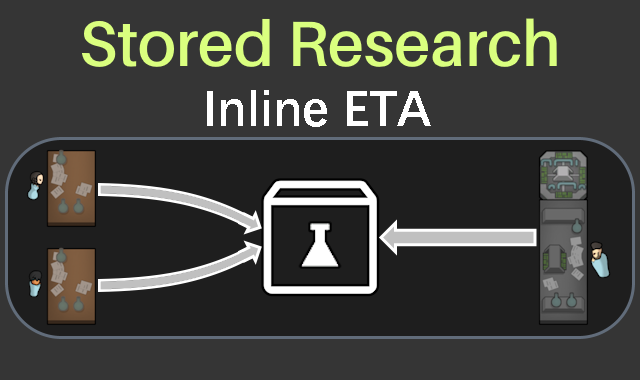
Stored Research Inline ETA
Stored Research Inline ETA Displays an estimated research completion time at the end of the final research-progress line in the lower-left inspect pane.

Milira Race - Float Menu Fix
Milira Race - Float Menu Fix About the General Float Menu Optimizer Float-menu slowdown may be caused by multiple mods at the same time.
More Management Mods

EdB Prepare Carefully
Customize your RimWorld colonists, choose your gear and prepare carefully for your crash landing!


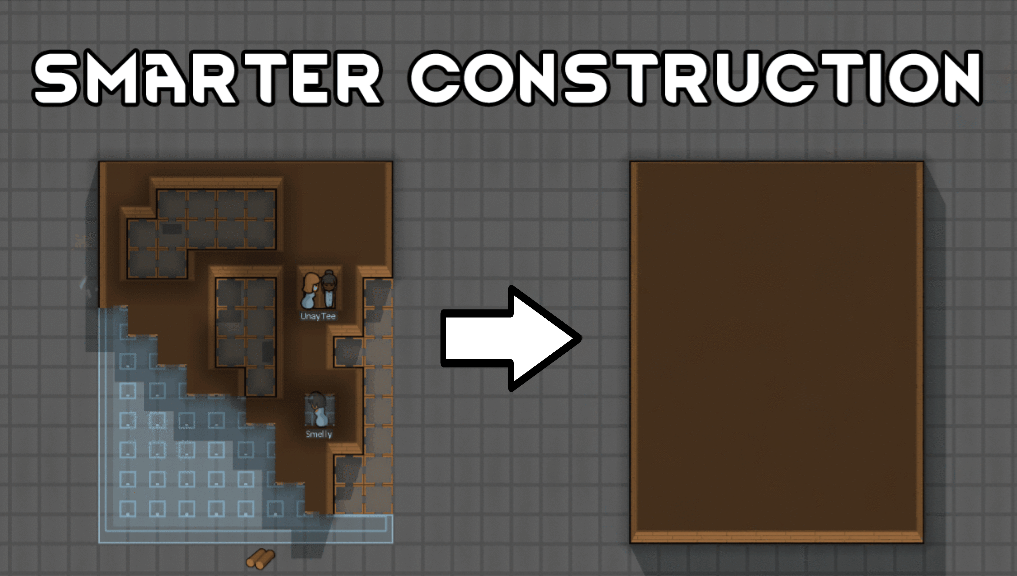
Smarter Construction
Stop your pawns from constantly building themselves into a wall or blocking something that hasn't been built yet.