Item Texture Viewer
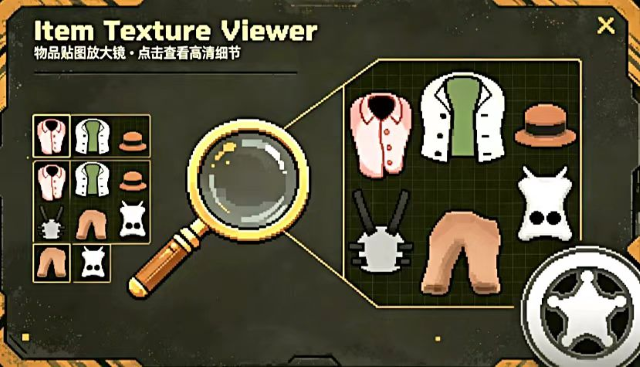 1 / 12
Item Texture Viewer Ever wanted to inspect every fine texture detail of your weapons and apparel, or admire your colonists up close?
Item Texture Viewer
Ever wanted to inspect every fine texture detail of your weapons and apparel, or admire your colonists up close? This mod brings a powerful built‑in preview right into the vanilla info card, letting you zoom, pan, rotate high‑res textures of any item or pawn — and now export your favourite views as PNG files with a single click.🎨 Core Features
- Click the button on the info card (i key) to instantly show a high‑res texture on the right
- Scroll to zoom (50%–20,000%), drag to pan
- Rotate pawns with ← → buttons, view from every angle
- Real‑time Pawn Preview Window: a transparent, follow‑able pawn overlay above the inspect pane, with zoom, alignment, and offset controls
- Preview type filters: separately toggle visibility for humans, animals, and others (mechanoids/insectoids)
- High‑res item textures: accurately cropped from the atlas for crystal‑clear zoom
- Texture export: left‑click the “Export (.png)” button to save the current preview as a PNG file; right‑click the same button to open the export folder
- Double‑click the info card texture area to open the fullscreen window
- Global hotkey Y: open a draggable, resizable fullscreen preview for the selected item
- Set left margin to -1 to auto‑align the preview area with the card's half width
- Extensive mod settings: margins, button position, hotkey combinations, background opacity, refresh interval, etc.
🛡️ Compatibility
Fully compatible with Combat Extended (CE) — this mod only modifies the UI layer and does not touch combat systems or equipment data.📌 Tips
- Default zoom 500% (adjustable in settings)
- Ctrl+T to quickly toggle the in‑card preview
- The fullscreen window can be dragged and resized via the lower‑right corner
- Enable the preview debug overlay in settings to help with positioning
- To export a texture: left‑click “Export (.png)” in the fullscreen window; right‑click it to open the export folder
FAQ
- Q: Is it compatible with CE? Fully compatible.
- Q: Where are exported textures saved? Inside your game data directory under “ItemTextureViewer_Exports”. Right‑click the export button to open it.
- Q: Can I change the fullscreen hotkey? Yes. Go to Mod Settings → “Modify Quick View Hotkey”.
- Q: The preview area is too large/small? Adjust the margin sliders in Mod Settings.
Similar Mods
Vanilla Furniture Expanded - Farming
1.2.0 (21/02/2021): - Sprinkler effect no longer stack - Sprinkler no longer boost plant in hydroponic (they still boost planter box) - Sprinkler no longer boost trees 1.1.1 (08/04/2020): Fixed Animal feeder not appearing in the correct tab. Sprinkler no longer blocks wind. 1.1.0
Vanilla Furniture Expanded - Security
Check change notes. Vanilla Furniture Expanded - Security is a complete overhaul and rebalance of the original security module, addressing outdated balance and vastly expanding defensive options from early to late game. For the new players, this mod should be the ultimate thing y

Vanilla Hair Expanded
1.2.0 (17/05/2020): Fixed label length issue. 1.1.1 (29/02/2020): Beards now work perfectly fine! Thanks for your patience. We have all been there, with a colony of a hundred pawns where everyone looks somewhat the same. Starting colonists with no character to their looks. This m
More Mods by Redbean

RimRelics
RimRelics - 失落遗珍 在 RimWorld 的世界中,散落着来自异界的古老遗珍。它们拥有不可思议的力量——只要你能找到它们。 🌍 探索 派遣殖民者探索远古遗迹——神殿、陵墓、军械库、实验室、花园。击败机械族守卫,打开宝箱获得神秘饰品。 🔨 制作 建造遗珍工坊,研究 5 级科技,从基础小件到终极神器逐步解锁。16 条合成树 + 独立饰品,共 103 件独特饰品。 👟 泰拉闪耀靴树(14件) 从赫尔墨斯之靴到泰拉闪耀靴——专注移速与地形适应。 水上行走 · 火箭跳跃 · 冰雪无阻 · 终极移速 🛡️ 十字章护盾树(19件) 从盔甲抛光剂到
More Management Mods
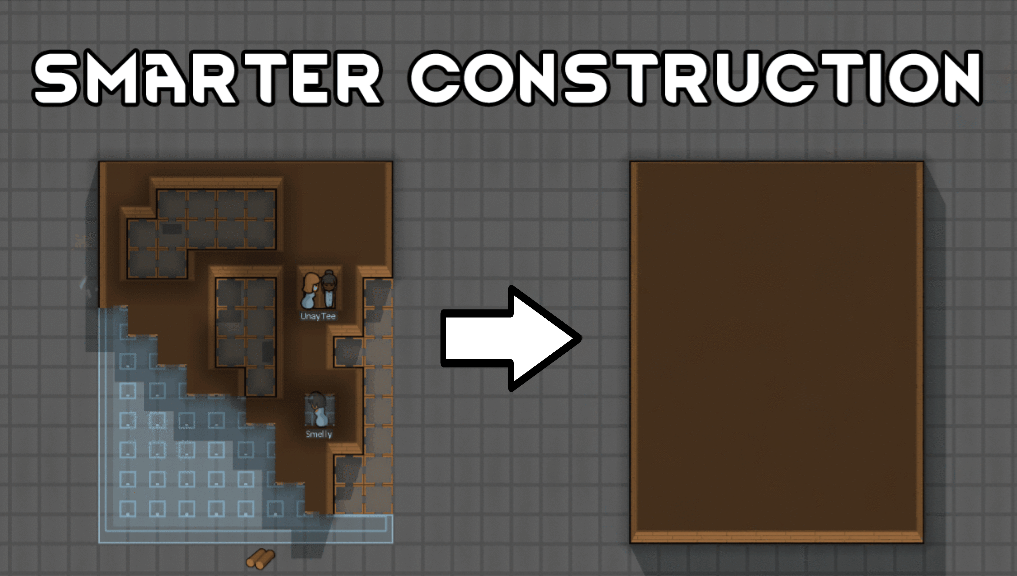
Smarter Construction
Stop your pawns from constantly building themselves into a wall or blocking something that hasn't been built yet.

QualityBuilder
With QualityBuilder all buildings that have quality (beds, tables etc) will only be build by the best builder to ensure the best outgoing quality.

Vanilla Cooking Expanded
Mechanics are simple and intuitive - keeping within the vanilla spirit without unnecessary fluff and production chains.

Character Editor
last update: v1.6.3 build on 2025-07-21 for RimWorld v1.6.4523 Editor for humanlike pawns on map and for crashlanding (colonists, enemies, dead pawns) MOD FEATURES • editor for pawns on map and for crashlanding • editable: body, head, hair, skin color, apparel color, gender, name