Mrokar Safe Repair
 1 / 4
1 / 4Mrokar Safe Repair A repair and diagnostic utility for heavily modded RimWorld installations.
Mrokar Safe Repair
A repair and diagnostic utility for heavily modded RimWorld installations.
Mrokar Safe Repair was created primarily to deal with configuration and translation issues that can remain after mods are updated, removed, reordered, or translated.
It can automatically detect and safely remove certain orphaned or engine-rejected runtime translation entries that would otherwise generate errors while RimWorld is loading.
On the mod setup used during development, Mrokar Safe Repair reduced the number of Polish translation errors from 280 to 0.
This does NOT mean that Mrokar Safe Repair is a universal "fix every RimWorld error" button.
The mod is deliberately conservative and only handles specific problems it knows how to repair safely.
WHAT THIS MOD DOES
• Automatically detects orphaned DefInjected translation entries referring to Defs that no longer exist.
• Removes DefInjected entries rejected by the currently loaded game configuration from runtime translation data.
• Handles confirmed Keyed translation collisions responsible for translation loading errors.
• Includes protection against the confirmed trailing-whitespace configuration issue affecting RocketSwarmLauncher.
• Allows translations to be reloaded without completely restarting RimWorld.
• Can create configuration backups before performing repair operations.
• Allows the latest backup to be restored.
• Helps detect and repair orphaned Steam Workshop configuration entries.
• Can generate diagnostic reports to help identify mod configuration problems.
• Provides a compact Translation Repair Status showing the current state of the translation repair system.
WHAT THIS MOD DOES NOT DO
Mrokar Safe Repair is NOT an automatic translation tool.
• It does not translate English text into Polish or any other language.
• It does not improve the quality of existing translations.
• It does not create missing translations.
• It does not remove every Error or Warning appearing in the RimWorld log.
• It does not attempt to hide every error generated by other mods.
• It cannot guarantee that a genuinely broken or outdated mod will start working.
• It does not make incompatible mods compatible with each other.
• It does not remove mod content simply because that content generated a warning.
• Runtime translation cleanup does not rewrite source translation XML files simply to make the error counter display zero.
Mrokar Safe Repair removes or ignores an entry only when one of its repair systems recognizes a specific condition that it knows how to handle safely.
HOW TO USE
For most users:
1. Install and enable Mrokar Safe Repair.
2. Completely restart RimWorld.
3. That's it.
The main repair systems operate automatically while the game is loading.
Additional tools are available under:
Options → Mod Settings → Mrokar Safe Repair
From there you can:
• check TRANSLATION REPAIR STATUS
• create a backup
• restore the latest backup
• reload translations without restarting the game
• generate a diagnostic report
• open the diagnostic report folder
TRANSLATION REPAIR STATUS
A healthy translation state should look like:
DefInjectionErrors=0
LanguageErrors=0
OK
The numbers reported by Mrokar Safe Repair depend entirely on your installed mods and translations.
For example, on the large mod setup used during development, the final cleanup reported:
Orphans: 1060
Rejected paths: 175
Duplicate Keyed: 7
Remaining errors: 0
You are NOT expected to get the same numbers.
Different mod lists will naturally produce different results.
If Mrokar Safe Repair reports:
DefInjectionErrors=0
LanguageErrors=0
OK
then the translation layers monitored by Mrokar Safe Repair are clean.
IMPORTANT
A clean Mrokar Safe Repair status does not mean your entire RimWorld log must be completely empty.
Other mods may still produce their own warnings or errors.
Mrokar Safe Repair intentionally does not suppress unrelated messages simply to produce a clean-looking debug log.
If another mod has a genuine problem, that problem should remain visible so it can actually be diagnosed.
COMPATIBILITY
Mrokar Safe Repair does not add items, factions, pawns, world content, or gameplay mechanics.
It is a utility operating primarily around RimWorld's configuration and runtime translation systems.
It was designed especially for large mod lists and installations using external translation mods, where old translation data can remain after mods change their Defs.
Because it interacts with runtime configuration and translation systems using Harmony patches, unusual mod combinations may still require investigation.
If you encounter a problem, use:
GENERATE DIAGNOSTIC REPORT
and include the generated report when reporting the issue.
CHANGELOG — 2.8.1
• Production cleanup of the automatic translation repair pipeline.
• Removed diagnostic log spam produced during normal cleanup operations.
• Instead of dozens or hundreds of successful cleanup messages, Mrokar Safe Repair now produces one compact summary.
• Kept automatic orphaned DefInjected cleanup.
• Kept automatic cleanup of DefInjected paths rejected by the game engine.
• Kept protection against the confirmed duplicate Keyed translation collision.
• Kept protection against the RocketSwarmLauncher trailing-whitespace configuration error.
• Added a simplified TRANSLATION REPAIR STATUS.
• Removed experimental diagnostic controls used during development of the 2.6.x and 2.7.x versions.
• Diagnostic reports, backups, configuration restore and runtime translation reload remain available.
Verified development test result:
Translation errors:
280 → 0
DefInjectionErrors=0
LanguageErrors=0
REPORTING PROBLEMS
If something goes wrong, please do not report an issue based only on the number of red or yellow entries in the RimWorld log.
First check:
Options → Mod Settings → Mrokar Safe Repair → TRANSLATION REPAIR STATUS
If the problem persists, generate a diagnostic report using Mrokar Safe Repair and include it with your report.
This makes it much easier to distinguish a problem Safe Repair can handle from an unrelated error caused by another mod.
Similar Mods
Vanilla Weapons Expanded
We are not responsible for CE patch, nor are we responsible for CE balancing or in fact anything regarding CE.
Vanilla Furniture Expanded - Power
This module is a part of Vanilla Furniture Expanded which can be downloaded below.
More Mods by Drizzt (YT.com/@drizztgami
EdB Prepare Carefully - Polish Translation
EdB Prepare Carefully - Polish Translation Polish translation for EdB Prepare Carefully.
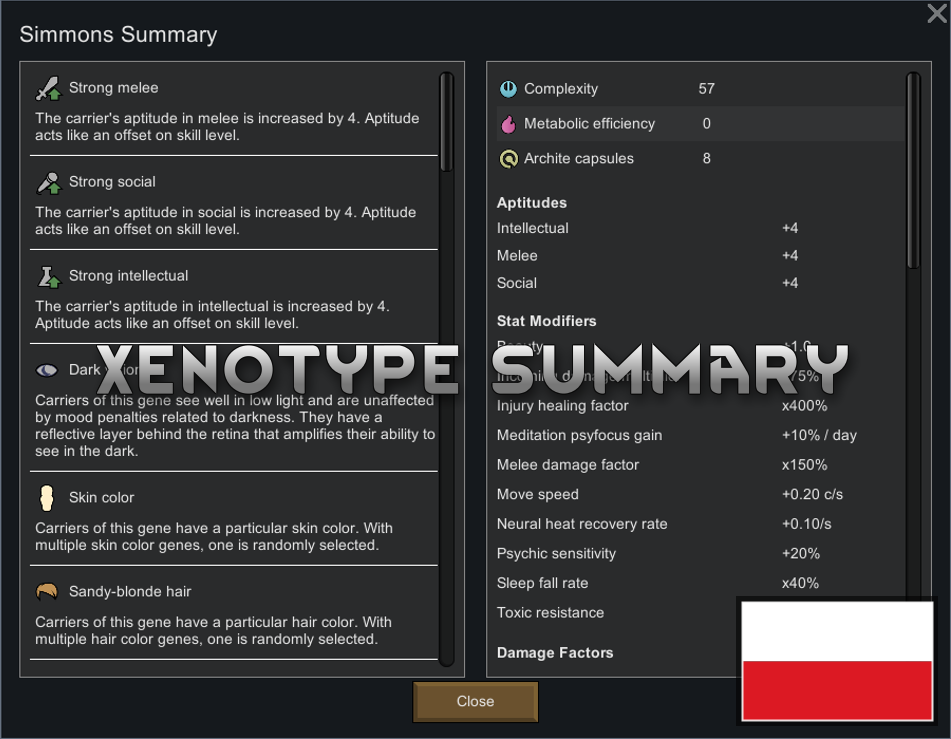
Xenotype Summary - Polish Translation
Xenotype Summary - Polish Translation Polish translation for Xenotype Summary.
Dawn of a New Day - Polish Translation
Dawn of a New Day - Polish Translation Polish translation for Dawn of a New Day.
More Management Mods