RimGenAI – Local GenAI Images for RimWorld
 1 / 3
1 / 3RimGenAI connects RimWorld 1.
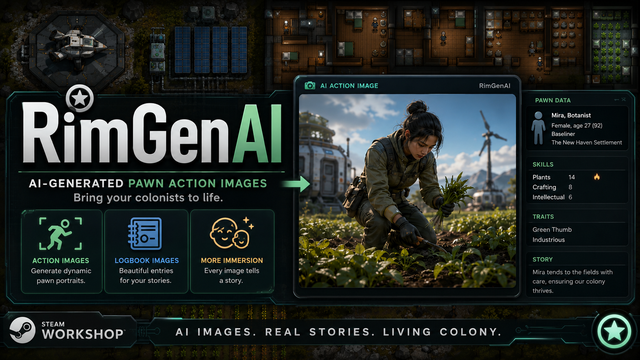
RimGenAI connects RimWorld 1.6 to a local Automatic1111 Stable Diffusion installation and generates realistic action images based on your pawns, their appearance, clothing and current activities.
The mod focuses on scenes rather than simple portraits and can add a gritty sci-fi western frontier atmosphere.
Features
• Generate action images for selected pawns
• Generate images from logbook entries
• Re-generate images directly from the pawn command bar
• Automatic prompts based on appearance, clothing and current activity
• Adjustable image size
• Custom image output folder
• Optional ReActor face replacement
• Exact pawn-name face matching
• Built-in editors for:
- Activity Overrides
- Person Overrides
- Clothing Overrides
- Dictionary
Requirements
• RimWorld 1.6
• A local Automatic1111 Stable Diffusion WebUI installation
• Automatic1111 started with API support
• A compatible Stable Diffusion checkpoint
• Optional: ReActor
Start Automatic1111 with:
--api
Default API address:
http://127.0.0.1:7860/sdapi/v1/txt2img
Quick Setup
1. Install and activate RimGenAI.
2. Start Automatic1111 with API support.
3. Check the API address in the RimGenAI settings.
4. Select a pawn.
5. Use the RimGenAI command icons to generate an image.
The first generation may take longer while the Stable Diffusion model is loading.
Customization
Prompt behavior can be adjusted through the built-in editors or the included RimAI text files.
ReActor face images must use the exact pawn name as the filename.
Example:
eric.png
If no matching face image is found, the image is generated without face replacement.
Notes
• The mod works locally and does not require an online AI service.
• Image quality and generation speed depend on your checkpoint, settings and hardware.
• Some RimWorld activities and objects may require custom Activity Overrides or Dictionary entries.
Feedback and useful activity overrides are welcome.
Similar Mods

Dubs Mint Menus
Adds new list boxes for recipe bills, health bills, plant selection, architect menu, research menu, and a quick select menu for designators, making it easier to find things when lots of mods are running.
More Management Mods

Character Editor
last update: v1.6.3 build on 2025-07-21 for RimWorld v1.6.4523 Editor for humanlike pawns on map and for crashlanding (colonists, enemies, dead pawns) MOD FEATURES • editor for pawns on map and for crashlanding • editable: body, head, hair, skin color, apparel color, gender, name

Vanilla Cooking Expanded
Mechanics are simple and intuitive - keeping within the vanilla spirit without unnecessary fluff and production chains.


Wall Light
As of update 1.5, Rimworld now contains wall lamps that serve the same purpose that this mod served for many, many years. So, what does this do now? Adds wall sun lamps. Lets you configure the vanilla wall lamps (and the added wall sun lamps) like you could with the old wall ligh