RimNote
 1 / 6
1 / 6That's right. Randy notified you that an Ambrosia Sprout appeared. You saw the notification, marked a planning area, and thought, "I'll harvest it later." Then you completely forgot about it. You built a monument, but those giant, ugly, space-consuming structures are still sittin
That's right.
Randy notified you that an Ambrosia Sprout appeared. You saw the notification, marked a planning area, and thought, "I'll harvest it later."
Then you completely forgot about it.
You built a monument, but those giant, ugly, space-consuming structures are still sitting there. When exactly are you allowed to tear them down?
You discovered a mineral deposit, but somehow never got around to mining it. The Mechanoid Transponder has practically risen from the grave before you even went to check it out.
With **RimNote**, all of these problems become much easier to manage.
Open RimNote from the button at the bottom of the screen and create your own notes. Freely edit their contents, set countdown timers, and pin important notes to a floating window so you never miss a reminder.
Notes can also be linked to Planning Areas. Simply click a note to jump directly to the associated area on the map.
Finished building a monument? Don't forget to click **"Add to RimNote"** in the letter notification. RimNote will keep track of the protection period and remind you when it's finally safe to demolish that thing.
Features
* Create and edit custom notes
* In-game countdown timers
* Floating reminder window
* Planning Area integration
* Ambrosia Sprout quick-note support
* Monument protection reminder support
Language Support
* Traditional Chinese
* English
Similar Mods


Vanilla Weapons Expanded
We are not responsible for CE patch, nor are we responsible for CE balancing or in fact anything regarding CE.

Character Editor
last update: v1.6.3 build on 2025-07-21 for RimWorld v1.6.4523 Editor for humanlike pawns on map and for crashlanding (colonists, enemies, dead pawns) MOD FEATURES • editor for pawns on map and for crashlanding • editable: body, head, hair, skin color, apparel color, gender, name
Vanilla Furniture Expanded - Spacer Module
Check change notes. Vanilla Furniture Expanded – Spacer 2 is a major overhaul of the original Spacer module, designed to bring your late-game colonies into the futuristic era with furniture that actually looks and feels futuristic. This update modernizes all visuals, rebalances g
More Mods by EricMao

乖乖模組
KuaiKuai keeps your buildings functional Explanation: Whenever a building is about to break down, KuaiKuai will activate and prevent the breakdown.

More Management Mods

Vanilla Expanded Framework
The Vanilla Expanded Framework (VEF) is a core modding library required by many of the Vanilla Expanded mods.
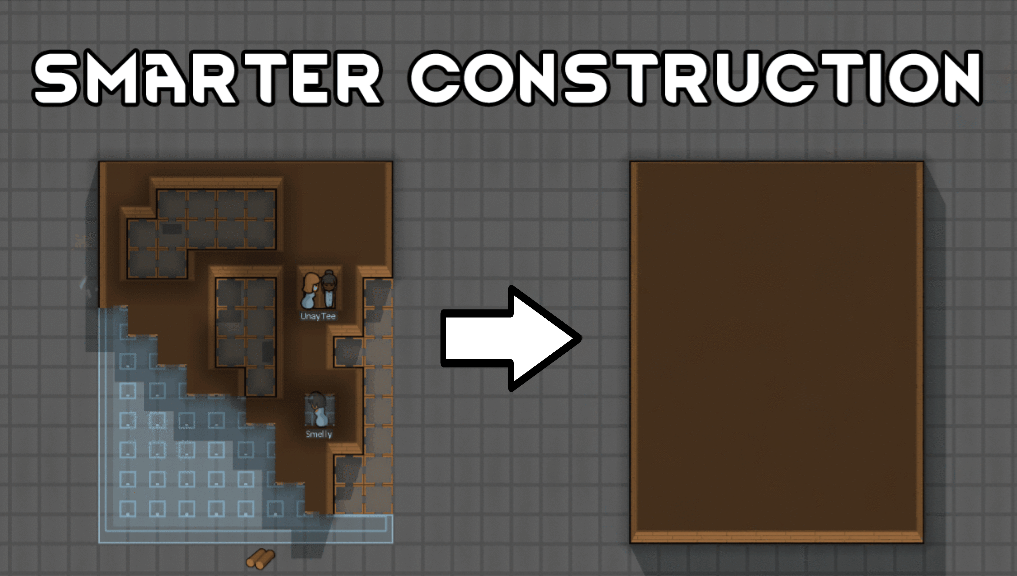
Smarter Construction
Stop your pawns from constantly building themselves into a wall or blocking something that hasn't been built yet.