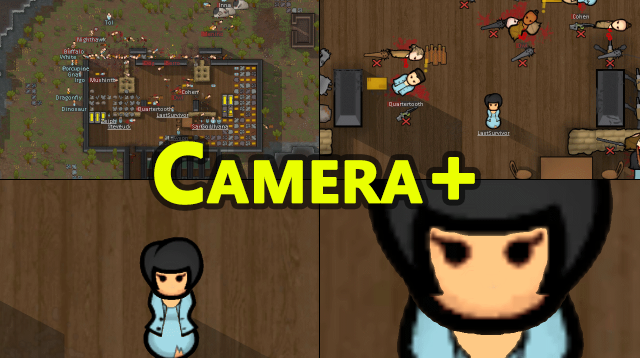
RPG风格的头像框
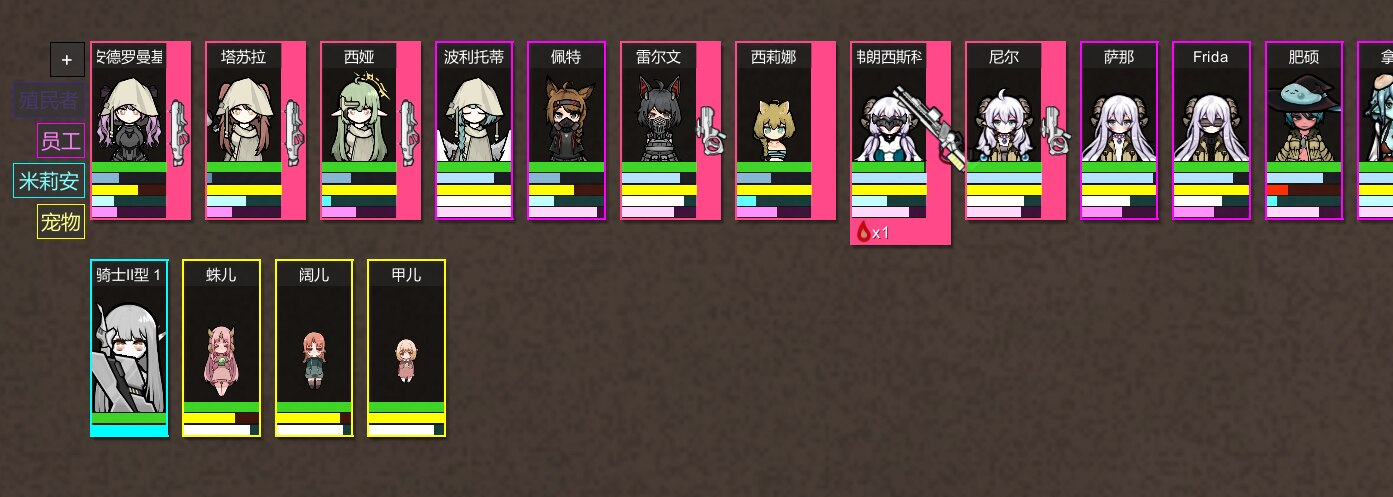 1 / 5
1 / 5How to Use Overall Show/Hide: via the button at the bottom-right corner; you can also adjust it in the settings menu.
How to Use
Overall
- Show/Hide: via the button at the bottom-right corner; you can also adjust it in the settings menu.
- Lock/Unlock UI: via the button at the bottom-right corner (the one with a small red lock); you can also adjust it in the settings menu. In unlock mode, you can directly drag group tabs or pawn boxes to reposition them, no longer needing to go into the settings page to
drag those slidersdrag those positioning dots. - Settings: you can open the settings page the native way in the mod settings, or by right-clicking (default, can also be changed to Ctrl+right-click) the new group button, which includes an option to open settings.
Group Tabs
- By default there are 5 groups: , , , , . Default groups cannot be deleted or renamed, but you can move pawns from them into custom groups, then check "Hide Empty Groups" in the settings to hide them.
- Move pawn to group: drag a pawn onto the desired group tab (now the sorting will apply to the game's own pawn sorting, such as the pawn list in the work menu, vanilla pawn boxes, etc.).
- Add custom group: click the or drag a pawn onto the tab.
- Delete/Rename custom group: from the right-click menu of the group tab, or double-click the group tab to quickly rename it.
Other
- Pawn sorting: drag pawn boxes to the desired position.
- Badges: you can change badges in the right-click menu of a pawn box; requires Pawn Badge Fan Fork and Custom Badges Bloat Edition.
- Animations: can be turned on/off in Settings - Animation.
- Some race portraits are too large/too small: in Settings - Components, add a specific race to adjust its portrait size individually; other components work similarly.
Quick Actions
- Quick Draft/Undraft: in Settings - Actions, you can set right-click to be either a popup menu or the draft function.
- Quick Self-tend: in the popup menu of a pawn box or group tab, there is a self-tend option, allowing injured pawns to quickly self-tend (will automatically enable the pawn's self-tend option).
- Quick Eat: same as above, allows a pawn to find food on the map or use food from their inventory.
Similar Mods
Vanilla Furniture Expanded - Farming
1.2.0 (21/02/2021): - Sprinkler effect no longer stack - Sprinkler no longer boost plant in hydroponic (they still boost planter box) - Sprinkler no longer boost trees 1.1.1 (08/04/2020): Fixed Animal feeder not appearing in the correct tab. Sprinkler no longer blocks wind. 1.1.0

Character Editor
last update: v1.6.3 build on 2025-07-21 for RimWorld v1.6.4523 Editor for humanlike pawns on map and for crashlanding (colonists, enemies, dead pawns) MOD FEATURES • editor for pawns on map and for crashlanding • editable: body, head, hair, skin color, apparel color, gender, name
Vanilla Events Expanded
See changenotes. Vanilla Events Expanded is one of our oldest mods, and I’m honestly shocked it’s holding up so well - it’s pretty resistant to game updates and bugs because of its simplicity. Back when I first made it with Kikohi, we didn’t know much about modding. I just wanted
More Management Mods
Vanilla Apparel Expanded
1.2.1 (25/02/2020): Formal wear now counts as royal apparel. 1.2.0 (19/02/2020): This mod is now 1.1 compatible. After a hundred hours playing RimWorld you notice that every pawn wears somewhat the same things. The base game apparel is not really as interesting, unique and variou
Wall Light
As of update 1.5, Rimworld now contains wall lamps that serve the same purpose that this mod served for many, many years. So, what does this do now? Adds wall sun lamps. Lets you configure the vanilla wall lamps (and the added wall sun lamps) like you could with the old wall ligh