DevPaletteProfiles
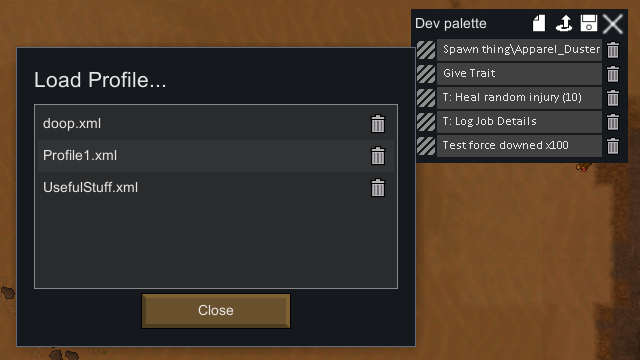
Adds profiles to the Dev Palette, allowing developers to quickly switch between lists of frequently used DebugActions.
Adds profiles to the Dev Palette, allowing developers to quickly switch between lists of frequently used DebugActions. Also makes the DevPalette enabled by default (can be disabled in mod settings).
How To Use
The mod adds three buttons to the top right of the Dev Palette. The left-most button clear the window of pinned actions. The middle button will open a dialog that allows you to load a profile, updating the DevPalette with its contents. The right-most button will open a dialog that allows you to save a new profile or overwrite an existing profile; if overwriting, a confirmation dialog will appear.
Profiles are saved in the RimWorld config folder. On Windows, this defaults to:
%appdata%\..\LocalLow\Ludeon Studios\RimWorld by Ludeon Studios\Config\DevPaletteProfilesSimilar Mods
Vanilla Furniture Expanded - Production
1.1.0 (24/02/2020): We are now 1.1 compatible. 1.0.2 (05/10/2019): Now compatible with Dubs: Hygiene. Also, fixed the linkables not connecting to vanilla stoves. 1.0.1 (04/10/2019): Fixed the bills not being worked. 1.0.0 (04/10/2019): Release This module is a part of Vanilla Fur

Vanilla Textures Expanded
1.6.0 (16/07/2020): Updated to 1.3. Honestly, we added so many textures (including almost a full retexture of Royalty) I'm not going to bother. 1.5.0 (11/10/2020): Added faction icons in HQ. 1.4.0 (04/09/2020): Added various new textures: Snowmen, Flatscreen TV, Unfinished appare

EdB Prepare Carefully
Customize your RimWorld colonists, choose your gear and prepare carefully for your crash landing!

More Mods by Djelighoti
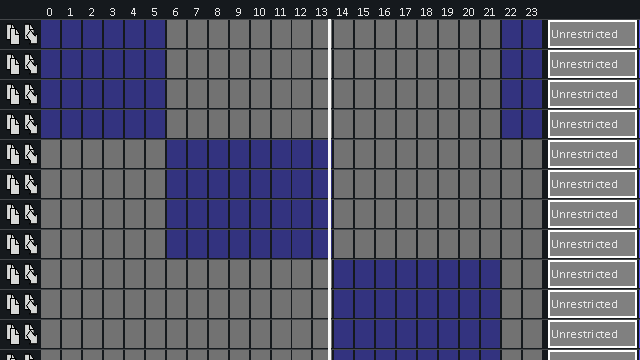
Schedule Clock
Adds a vertical line to the schedule tab, indicating the current time of day
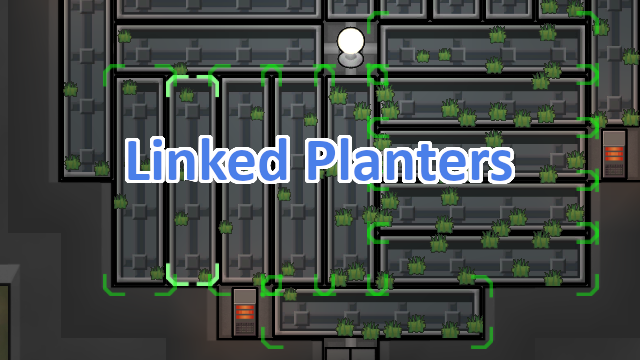
Linked Planters
Makes it possible to link plant growers (like hydroponics basins) together.
More Management Mods

Humanoid Alien Races
A framework for the creation of new alien races in Rimworld If you ever thought that the racial diversity in rimworld is.

Vanilla Cooking Expanded
Mechanics are simple and intuitive - keeping within the vanilla spirit without unnecessary fluff and production chains.
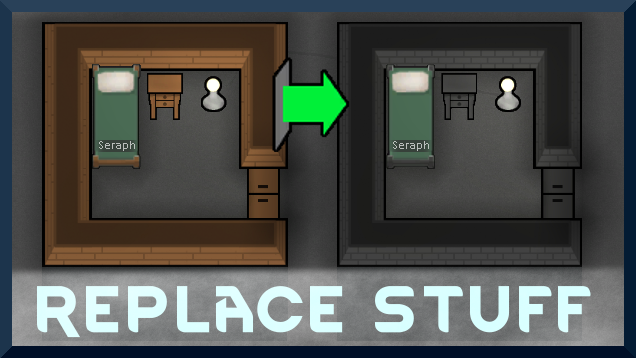
Replace Stuff
Place buildings anywhere, on top of existing things, and the game will handle it.

Wall Light
As of update 1.5, Rimworld now contains wall lamps that serve the same purpose that this mod served for many, many years. So, what does this do now? Adds wall sun lamps. Lets you configure the vanilla wall lamps (and the added wall sun lamps) like you could with the old wall ligh