GBFUI Hit Counter
 1 / 8
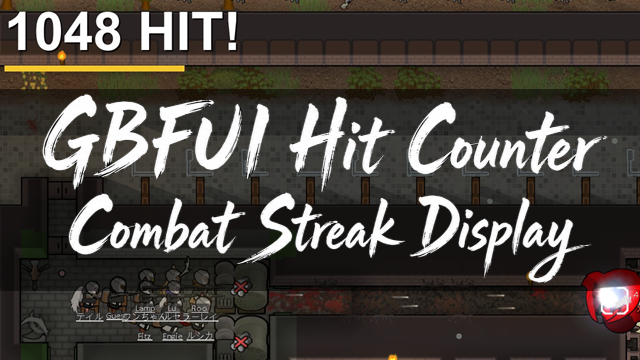
1 / 8GBFUI Hit Counter is a UI mod that adds an on-screen combat counter to RimWorld.
GBFUI Hit Counter is a UI mod that adds an on-screen combat counter to RimWorld.
Main Features:
・HIT Counter
・DOWN Counter
・DAMAGE Counter
・Streak Timer
・Result Board
・Display options through mod settings
This mod displays damage dealt by the player side to hostile pawns directly on the screen.
It does not change combat mechanics, weapon stats, damage values, AI behavior, or storyteller behavior.
How It Feels:
It adds that familiar “the numbers keep going up as you take enemies down” feeling from fighting games and shooters to the upper-left corner of the RimWorld screen.
During killbox defenses, the HIT and DOWN counts can climb rapidly, making battles feel much more satisfying and readable.
For streamers, it may also work as a small visual UI effect that adds some extra flair to defensive battles.
It can also be useful outside normal gameplay, such as when developing weapon mods, comparing equipment, or adjusting killbox layouts.
By comparing HIT counts, DOWN counts, DAMAGE totals, and elapsed time across multiple test patterns, it can also serve as a lightweight testing aid for checking which loadout or layout performed better.
Main Count Targets:
・Direct attacks from the player side
・Damage dealt to hostile pawns
・Hostile pawns that are downed or killed during a streak
Not Counted, or May Not Be Counted Correctly:
・Follow-up damage dealt to already downed enemy pawns
・Fire damage
・Ongoing damage such as poison, gas, or acid
・Explosions and area damage
・Traps, roof collapses, and environmental damage
・Damage to non-pawn targets, such as buildings or turrets
・Special damage processing added by other mods
Important Note:
As mentioned above, this mod intentionally excludes several types of damage from its count logic.
Because of that, the displayed HIT and DAMAGE values may be lower than the actual total.
Overall, this mod is not intended to be a precise combat log analyzer.
Please treat it as a simple visual counter designed to make the “feel” of combat easier to see.
Combat Extended:
This mod is built around vanilla RimWorld combat.
Even when using CE, this mod does not change combat behavior itself.
However, HIT, DOWN, and DAMAGE count results may not be accurate when using Combat Extended.
Result Board:
Click the “Onigiri icon” in the lower-left corner of the screen to open the Result Board.
Press the “End Streak” button to immediately record the current streak to the Result Board.
Up to 20 results can be stored.
However, these results are cleared when you load a save or return to the title screen.
Mod Settings:
Display duration, individual counter ON/OFF settings, and other display options can be changed from the mod settings menu.
If the display overlaps with other UI mods, please adjust it from the settings.
Streak Timer settings are also configured from the settings menu.
For a more arcade-like feel, setting the Streak Timer to around 3 seconds creates a very tight time limit.
On the other hand, if you want more breathing room or want to record longer battles, setting it to the maximum of 1 hour is a good option.
In that case, the HIT display will remain on screen for a long time, so after the battle ends, please manually press “End Streak” from the Result Board.
(As a personal recommendation from the author, setting the HIT text size to the maximum makes the display look even more arcade-like and flashy.)
Adding / Removing This Mod:
This is a display-only UI mod.
It does not add weapons, pawns, buildings, research projects, or items.
Because of that, it should be relatively easy to add to an existing save.
However, if you remove this mod from an ongoing save, please make a backup of your save data first.
Why the Onigiri Icon?:
GBFUI stands for Good Breakfast Food - UI Section.
Originally, GBF began as a small food-themed mod brand created by the author for local mods that added meals with hediff effects.
Over time, it somehow grew into a wider collection of mods, including semi-automatic workbenches, casual-game-style weapons and apparel, and visual UI effects.
Even so, the origin of GBF is still “breakfast that makes you feel a little better.”
That is why the original Onigiri icon lives on as the brand logo.
About Mod Development:
The author makes mods to turn “I wish this existed in the game” ideas into actual features.
ChatGPT and Codex were used as support tools for planning and coding, but error checking, in-game testing, and debugging were done by the author through actual playtesting.
Requires:
Harmony
DLC:
No DLC required.
Final Note:
That’s all for the explanation.
Now go make some noise.
Similar Mods

Vanilla Events Expanded
See changenotes. Vanilla Events Expanded is one of our oldest mods, and I’m honestly shocked it’s holding up so well - it’s pretty resistant to game updates and bugs because of its simplicity. Back when I first made it with Kikohi, we didn’t know much about modding. I just wanted

RimHUD
RimHUD is a UI mod that displays detailed information about a selected character or creature.

Vanilla Weapons Expanded
We are not responsible for CE patch, nor are we responsible for CE balancing or in fact anything regarding CE.
Replace Stuff
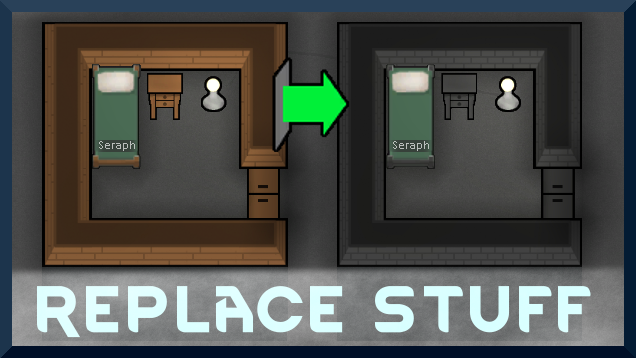
Place buildings anywhere, on top of existing things, and the game will handle it.
More Management Mods

Vanilla Textures Expanded
1.6.0 (16/07/2020): Updated to 1.3. Honestly, we added so many textures (including almost a full retexture of Royalty) I'm not going to bother. 1.5.0 (11/10/2020): Added faction icons in HQ. 1.4.0 (04/09/2020): Added various new textures: Snowmen, Flatscreen TV, Unfinished appare

Vanilla Apparel Expanded
1.2.1 (25/02/2020): Formal wear now counts as royal apparel. 1.2.0 (19/02/2020): This mod is now 1.1 compatible. After a hundred hours playing RimWorld you notice that every pawn wears somewhat the same things. The base game apparel is not really as interesting, unique and variou
RimHUD
RimHUD is a UI mod that displays detailed information about a selected character or creature.