Physical Hair
 1 / 10
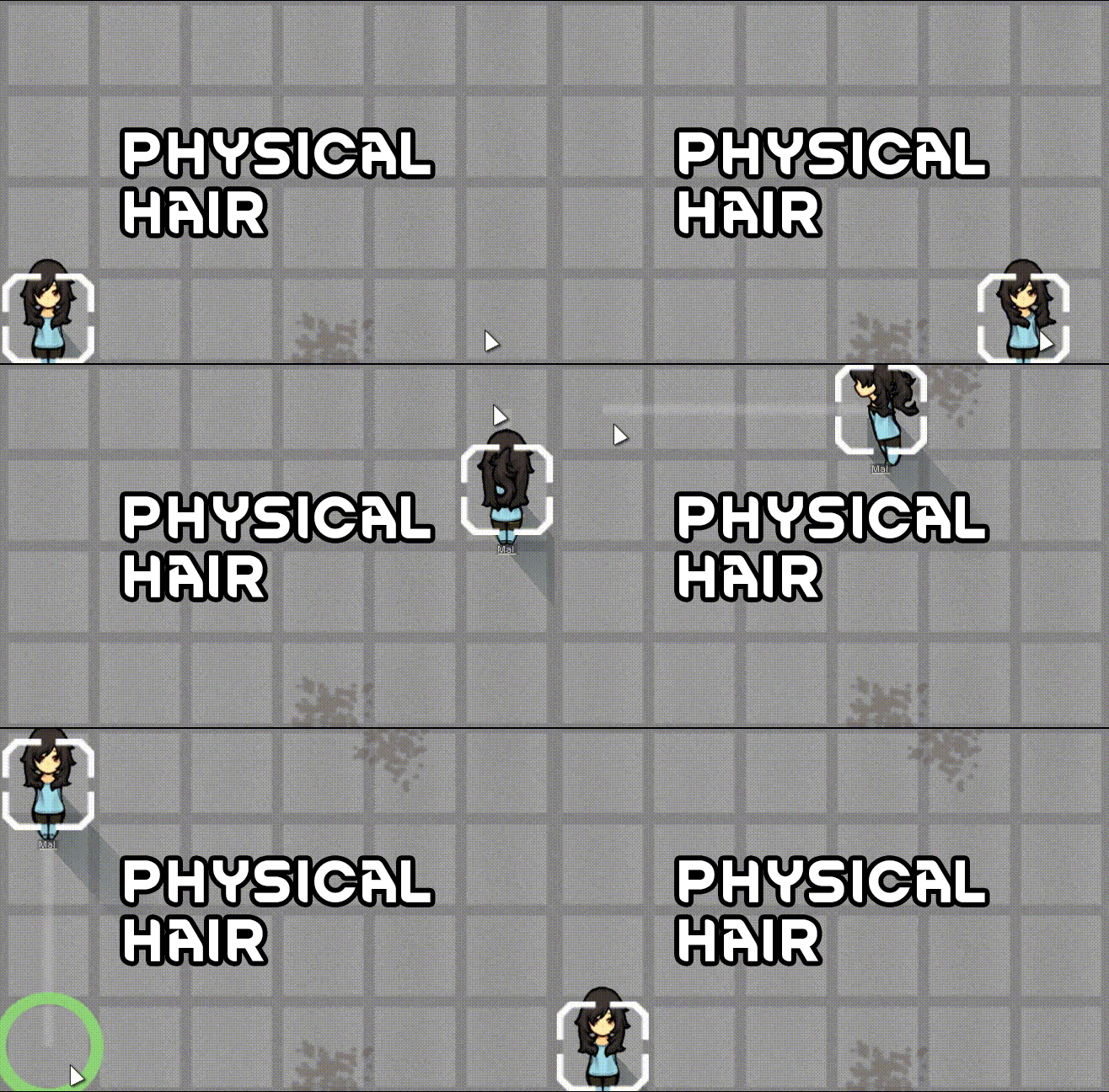
*machine translate* Physical Hair Make RimWorld hairstyles go Duang~ Duang~ Physical Hair adds dynamic mesh effects to pawn hair.
*machine translate*
Physical Hair
Make RimWorld hairstyles go Duang~ Duang~
Physical Hair adds dynamic mesh effects to pawn hair. Hair will sway with inertia during movement and naturally swing when turning direction. It creates subtle hair variations when pawns move, turn, and stand still, making characters on the map more lively.
Inspiration
The config menu was inspired by the AE plugin AutoSway. The code structure was learned from the Terraria mod Celeste Hair. That is an excellent mod; I merely imitated it and barely replicated a portion of its effects.
Main Features
- Mesh-based dynamic hairstyle deformation.
- Built-in CPU simulation and Shader simulation modes.
- Default uses Shader simulation mode, which has lower performance cost and softer effects compared to CPU simulation.
- Supports configuring hair parameters for four directions: east, south, west, north.
- Supports grouping, fixed points/fixed lines, bone connections, collision volumes, and rigidity zone settings.
- Supports automatic segmentation and gradient rigidity zones.
- Supports automatic generation of dynamic meshes that better conform to hair strand shapes based on texture transparent regions.
- Supports debug menu for real-time preview and adjustment of hair performance.
- Supports saving debug-adjusted parameters back to hair XML, making it convenient for hair authors to create compatibility patches and for players to fine-tune deformation effects of some hairstyles.
In developer mode, selecting a pawn will show a Hair Debug button for opening the debug tool.
Debug Window Real-Time Adjustments
- Hair mesh density: Controlled by modifying mesh row and column counts. Higher density means higher performance cost but also higher mesh deformation quality.
- Swing intensity: Affected by multiple parameters, but overall swing intensity can be adjusted in the Shader tab.
- Root and tip rigidity: Rigidity makes the mesh harder to deform. If it's hard to understand at first, try experimenting with different rigidity zones and rigidity strengths.
- Fixed points and bones: Used to control which regions are more stable and which regions can swing freely.
- Collision range: Used in fewer scenarios; can be ignored in most cases.
- Shader tab: Adjust global parameters such as swing, inertia, turning impact, and idle fluctuation. Most of the time adjusting here is sufficient; Shader mode is superior to CPU mode in almost every aspect.
The left preview area directly displays the current direction's hair dynamic mesh, fixed points, control connections, and rigidity zones.
Usage Tips
Players only need to subscribe and enable. Recommended load order is lower, at least below hair mods and Gradient Hair.
Recommended Tuning Workflow
- First confirm that the hair texture and mesh boundaries fit properly.
- Adjust Mesh Rows and Mesh Columns to make the mesh fine enough to show hair detail without over-subdividing and affecting performance.
- Use fixed points or fixed lines, adjust coverage range, to prevent unwanted mesh regions from deforming.
- Many short hairstyles need extra attention for the south direction. I recommend using line-mode rigidity 1 to directly cover the entire "south" direction mesh area, or separately adjust the "south" direction's automatic rigidity gradient options to make the upper part rigidity 1 and the lower part rigidity 1.
- Finally adjust movement intensity and Shader parameters to make the sway natural but not excessive.
Compatibility Notes
- Theoretically automatically compatible with all hair mods.
- For some hairstyles with additional rendering layers(I made this feature, so I might try updating the auto-patch.), only the hair itself will be dynamicized; extra rendering layers cannot be covered.
- Compatible with Gradient Hair.
- Shader simulation is almost entirely superior to CPU mesh simulation.
- CPU mode is mainly retained because fixed points, bones, and collision body debugging are more intuitive. If you encounter bugs or performance issues in CPU mode, please do not report them, thank you~
PS: Welcome to leave bug reports and suggestions in the comments, and please rate up, thank you~
26.06.23 Update: Changed the patching method for hairstyles worker and the debug menu to Harmony injection; most alien races should now be supported as well.
26.06.30 Update: added renderQueue in debug menu, for transparent hat like PAH Pillbox Hat from Ponpeco Accessories. you need to change it to lower. like 1000.
Similar Mods

Vanilla Expanded Framework
The Vanilla Expanded Framework (VEF) is a core modding library required by many of the Vanilla Expanded mods.

Vanilla Furniture Expanded - Security
Check change notes. Vanilla Furniture Expanded - Security is a complete overhaul and rebalance of the original security module, addressing outdated balance and vastly expanding defensive options from early to late game. For the new players, this mod should be the ultimate thing y

Vanilla Furniture Expanded - Art
1.2 (29/08/2020): Fixed laggy hologram code. This mod now requires our framework. 1.1.1 (14/08/2020): Fixed the issue with pottery display radius for meditation, Added decorative plant pots. This module is a part of Vanilla Furniture Expanded which can be downloaded below. Vanill

Vanilla Furniture Expanded - Production
1.1.0 (24/02/2020): We are now 1.1 compatible. 1.0.2 (05/10/2019): Now compatible with Dubs: Hygiene. Also, fixed the linkables not connecting to vanilla stoves. 1.0.1 (04/10/2019): Fixed the bills not being worked. 1.0.0 (04/10/2019): Release This module is a part of Vanilla Fur
More Mods by chitoseender
Humanoid Dryad_zh
简单汉化 如有问题请评论区留言~ —————————— -母树纹理调整 -母树可重新移植 -母树可以种植在屋顶下 -人工建筑物影响为0 -为母树添加自发光效果(提升夜间修剪效率) -调整修剪的声音大小与衰减距离(更加安静) —————————— -树精纹理调整 -树精声音大小调整为0 -树精生产资源(“药草”“莓果”“木材”)时不再提示 【基础树精】 -心情提升效果:+5~15(最大堆叠次数:10范围:6有效时间12h) 【运输树精】 -移动速度:2.

![[MF]Black Silence Apparel](https://images.steamusercontent.com/ugc/17556699322166981/DE2DC2D6510E4DF4C84AC2C63081A2E4FE013761/)
[MF]Black Silence Apparel
*machine translate* This mod adds a new set of apparel, a pair of functional gloves, and an ability.
More Management Mods

Vanilla Plants Expanded
Vanilla Plants Expanded is a core module in a plant-based in the new mod series “Vanilla Cuisine Expanded” from the Vanilla Expanded team.

Humanoid Alien Races
A framework for the creation of new alien races in Rimworld If you ever thought that the racial diversity in rimworld is.
Replace Stuff
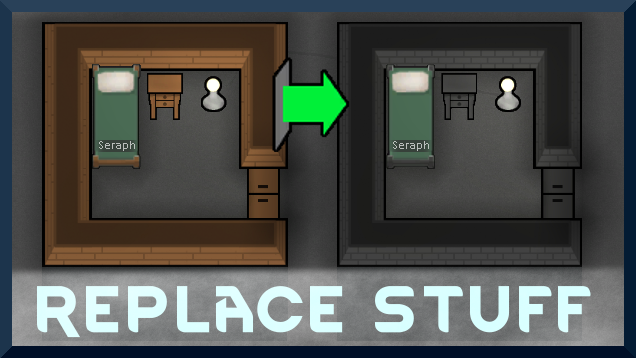
Place buildings anywhere, on top of existing things, and the game will handle it.

RimHUD
RimHUD is a UI mod that displays detailed information about a selected character or creature.