Retro Walkman 【Music Import, Custom Folders】

Adds a wearable Walkman that plays music directly from the mod's Music folder or any custom folder on your PC.
Adds a wearable Walkman that plays music directly from the mod's Music folder or any custom folder on your PC. Supports .mp3, .ogg, .wav, and .aiff files. Use the "Folders" button to manage your music folders!
How to get: Craft at the Machining table — costs 20 Steel and 1 Industrial Component. The Walkman uses its own accessory layer, so it does NOT conflict with utility belts or other apparel.
Features:
Play music from your own audio files (streaming, background loading)
Independent volume control via a smooth stepless slider, grouped with Muffle SFX toggle in an "Audio" menu
Speaker mode: background music without distance/zoom attenuation, grouped with Loop toggle in a "Playback" menu
Loop toggle for single track repeat
Next Track and Select Track for multi-track playlists
Auto-advance to next track when current finishes
Refresh Playlist button to rescan folders
"Listening to Music" mood buff (+10) while playing
Muffle SFX toggle: applies a low-pass filter to game sound effects and ambient sounds (wind, insects, gunshots, UI clicks), simulating the muffled sensation of wearing headphones while listening to music
Event-driven muffler (Harmony-powered): filters are attached when audio sources are created, no periodic GameObject scanning — minimal overhead when Muffle is off
All Muffle parameters (cutoff frequency, fade speed, resonance) are configurable via MufflerSettings.xml
Optimized for minimal performance impact: Speaker mode short-circuits distance calculations, fade-out skips idle loops, playlist scanning uses versioned global cache
Full English/Chinese localization
New :
Multi-folder support: add custom music folders from any location on your PC (different drives, network paths, etc.). The built-in Music folder remains active as the default source.
Folder validation dialog: enter a path, click Validate to check if it exists (green/red hint), then Add — no more guessing whether the path is correct.
Note: The first time you use the Walkman, you may need to click the "Refresh" button for the tracks to be detected.
If playback seems delayed, check if your audio file starts with a very quiet or silent section.
I added about 5 songs, roughly 20MB (for personal use), and I didn't remove the source files either.
The source code under the Source/ folder is free to use, modify, and redistribute for any purpose. Enjoy!
Similar Mods


Wall Light
As of update 1.5, Rimworld now contains wall lamps that serve the same purpose that this mod served for many, many years. So, what does this do now? Adds wall sun lamps. Lets you configure the vanilla wall lamps (and the added wall sun lamps) like you could with the old wall ligh

Pick Up And Haul
"Greatest hauling mod ever" - Chicken Plucker Colonists will gather stuff in their inventory, then haul it all to a stockpile.
More Mods by WZX

MGS: Venom Snake
通过肘击D指导和Chat老师制作的合金装备风味mod,本人只绘制了贴图素材和提供想法,最初制作是为了rimtalk mod的使用时增加些趣味性,大家可以把mod拿起更改和使用素材无需询问。没想到真有人订阅这个绿皮mod,故做了一些小优化,使原本药物效果变得合理并且修复了一些小Bug,此外建议搭配工坊里红马的合金装备mod食用。 模组内容 ■ 专属角色特质 Venom Snake:钻石狗指挥官,地狱归来的恶魔,领袖气质 ,幻痛 Kazuhira Miller:米勒大师。副司令。后勤操盘手。复仇誓约 Revolver Ocelot:左轮艺术家,理性审讯官,自
More Management Mods


QualityBuilder
With QualityBuilder all buildings that have quality (beds, tables etc) will only be build by the best builder to ensure the best outgoing quality.

Vanilla Expanded Framework
The Vanilla Expanded Framework (VEF) is a core modding library required by many of the Vanilla Expanded mods.
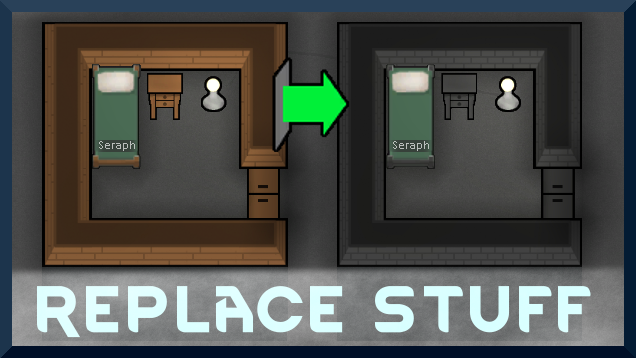
Replace Stuff
Place buildings anywhere, on top of existing things, and the game will handle it.