RimTalk Dialogue Patch
 1 / 9
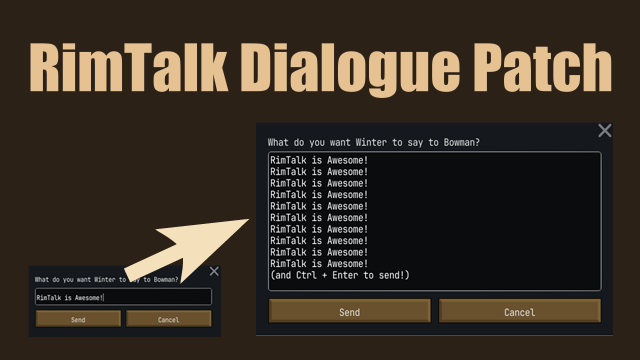
1 / 9This is a small patch mod that makes the "Dialogue Input Window" and "Reply Mode Toggling" in RimTalk slightly more convenient to use.
This is a small patch mod that makes the "Dialogue Input Window" and "Reply Mode Toggling" in RimTalk slightly more convenient to use.
🌟 Features
- Expanded Text Area: The text input field in the dialogue window is expanded, making it easier to see what you are typing.
- Prevent Accidental Sending: In 2-byte languages (like Japanese), pressing the Enter key to confirm text conversion often causes the message to be sent prematurely. This mod changes the behavior so pressing Enter creates a new line instead. You can send messages by pressing Ctrl + Enter or clicking the Send button.
- Reply Mode Toggle: Added a button to the bottom-right overlay to switch RimTalk's reply mode between "Auto-Gen Replies" and "Manual Replies". If you don't need the toggle button, you can turn it off in the Mod Options. It also supports switching via keyboard shortcuts. This allows you to instantly switch between modes without opening the RimTalk settings menu.
- Manual Conversation Button: Adds a "Talk to..." button to selected colonist's gizmos. This allows you to manually open the dialogue window and talk to another pawn, which is especially useful when right-click menus are disabled (e.g., during rituals or events). It is hidden by default to keep the UI clean. If you want to enable this button, please turn it on in the Mod Options.
🚀 How to Use
- Sending Messages: Press Ctrl + Enter inside the dialogue window or click the Send Button.
- Switching Reply Modes: Click the toggle icon in the bottom-right of the screen, or use the shortcut key configurable via Options > Keyboard configuration.
💾 Installation
- Safe to add to or remove from existing save data.
- Load Order: Please place this mod below the original RimTalk mod.
💖 Credits
- RimTalk (Original Mod Author): Juicy
- Special thanks to Juicy for creating the amazing RimTalk mod.
Similar Mods

Vanilla Cooking Expanded
Mechanics are simple and intuitive - keeping within the vanilla spirit without unnecessary fluff and production chains.
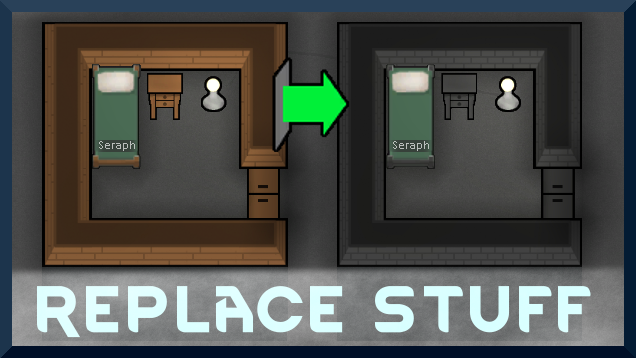
Replace Stuff
Place buildings anywhere, on top of existing things, and the game will handle it.

More Mods by neachi
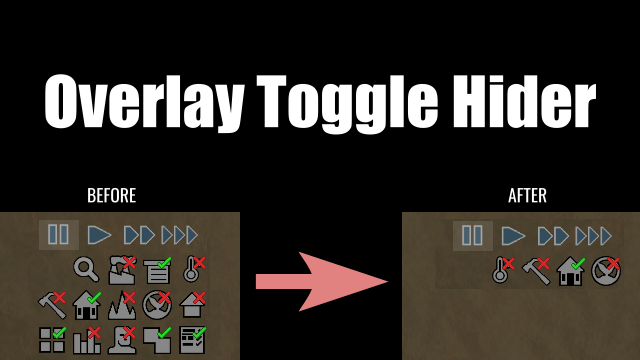
Overlay Toggle Hider
This mod allows you to hide specific toggle buttons (overlay buttons) located at the bottom right of the screen individually.
More Management Mods


RimHUD
RimHUD is a UI mod that displays detailed information about a selected character or creature.

Humanoid Alien Races
A framework for the creation of new alien races in Rimworld If you ever thought that the racial diversity in rimworld is.