Tim's Auto Priorities

Tim's Auto Priorities Keeps the Work tab organized by assigning manual priorities by work type, using each colonist's skills, health, traits, and equipment.
Tim's Auto Priorities
Keeps the Work tab organized by assigning manual priorities by work type, using each colonist's skills, health, traits, and equipment. If the mod is enabled, automation is on.Features
- Covers doctoring, cooking, construction, growing, mining, crafting, hauling, cleaning, research, and more.
- Keeps important work covered.
- Avoids dangerous jobs for bad fits when possible.
- Works with modded work types that define relevant skills.
- Adds on/off toggles directly to the Work tab.
Controls
- On toggle: automatic.
- Off toggle: paused.
- Pawn toggle: pauses or resumes automation for one colonist.
- Work toggle: pauses or resumes automation for one work type.
Priority rules
ValueMeaningUse1HighestEmergency work and top critical specialists2HighMain specialists and important backups3NormalSecondary backups and routine labor4LowPoor fits that can still help if idleBlankOffIncapable, unsafe, or intentionally excluded RimWorld still runs same-number work left to right.Default setup
- Firefight, Patient, and Basic: 100%, priority 1.
- Bed Rest: 100%, priority 2; priority 1 when hurt or sick.
- Doctor: best 1 priority 1; next 1-2 priority 2.
- Cook: best 10-15%, priority 1.
- Construct: best 15-20%, priority 1.
- Grow: best 20-25%, priority 1.
- Warden: best 10-15%, priority 2.
- Handle: best 10-25%, priority 2.
- Research, Mine, Smith, Tailor: skilled pawns priority 2.
- Craft, Plant Cut, Art, Haul, Clean: mostly priority 3.
- Hunt: best healthy ranged pawn, priority 3.
- Haul: about 75%, priority 3; dedicated priority 2 haulers in large colonies.
- Clean: about 40%, priority 3; dedicated priority 2 cleaners in large colonies.
- Haul and Clean are never priority 1 by default.
Exclusions
Pyromaniac firefighters, hurt haulers, and unsafe specialists are left blank when possible. Main doctors drop to firefight priority 2 during medical emergencies.Modded work
If a modded work type lists relevant skills, the best relevant skill is used. If it has no relevant skills, movement and natural priority are used.Compatibility
Supported RimWorld version: 1.6.Similar Mods
Vanilla Furniture Expanded - Medical Module
1.1.1 (21/02/2020): 1.1 version of this mod is no longer dependant on VFE-Core 1.1.0 (20/02/2020): This mod is now 1.1 compatible. 1.0.0a (05/05/2019): Fixed several bugs. 1.0.0 (20/04/2019): Release This module is a part of Vanilla Furniture Expanded which can be downloaded belo
![JecsTools [Deprecated]](https://images.steamusercontent.com/ugc/941708627441551739/7869E0281E5AF57B25CC7EBFFF46D64739E8F89A/)

More Management Mods

Vanilla Expanded Framework
The Vanilla Expanded Framework (VEF) is a core modding library required by many of the Vanilla Expanded mods.

Wall Light
As of update 1.5, Rimworld now contains wall lamps that serve the same purpose that this mod served for many, many years. So, what does this do now? Adds wall sun lamps. Lets you configure the vanilla wall lamps (and the added wall sun lamps) like you could with the old wall ligh
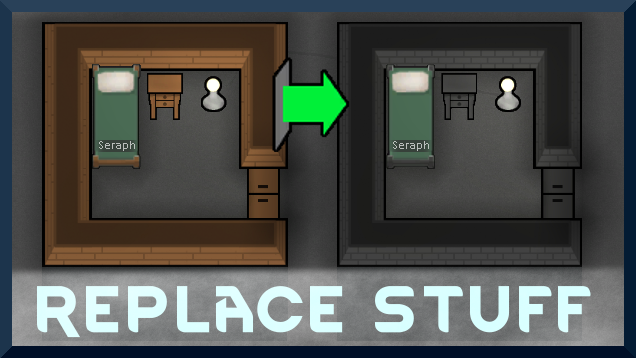
Replace Stuff
Place buildings anywhere, on top of existing things, and the game will handle it.