UI Error Containment
 1 / 3
1 / 3Very rare combinations of errors can cascade into broken windows, broken tooltips, GUIClip imbalance, or corrupted UI state.
Very rare combinations of errors can cascade into broken windows, broken tooltips, GUIClip imbalance, or corrupted UI state.
UI Error Containment catches those errors, uses a harmless fallback for the affected UI value, and lets the rest of the interface keep working.
It is intentionally minimalistic, It does not replace UI mods, redesign windows, or change gameplay behavior. When an issue is contained, the mod can show a brief message explaining what happened, with an option to disable future messages.
When containment is used, the mod logs a concise diagnostic entry and can show a one-time notification window. Verbose diagnostics and broader containment options are available in mod settings.
FAQ:
Is this compatible with UI mods?
Theoretically should be compatible with all font and UI style mods unless they rely on intentionally leaking text or GUI state outside their own draw code for some reason. UI Error Containment only restores basic GUI/Text state after protected UI drawing, which is intended to prevent broken UI state from leaking outward and causing more issues.
I've never had this issue, do I really need this mod?
Probably not, this bug cascade requires a very specific set of conditions likely provided by few mods on the workshop.
What bug do you mean exactly and what do you mean by "cascade"??
The bug is not a single issue, but something emergent when information is passed along to mods and is handled incorrectly. This family of bug requires 8 interacting parts, each with some kind of implementation that allows the issue to escalate unchecked.
1. A modded UI window, tooltip, or panel is being drawn.
Example: the UI draw method does more than simple layout and text drawing; it directly calls into stat, capacity, tooltip, or pawn-data methods during the draw pass instead of using prevalidated cached display data.
2. The UI is showing a pawn, item, preview, or temporary object.
Example: the displayed object is a preview/minimal/simulated object that looks valid enough to pass ordinary checks, but was not created through the full normal game lifecycle.
3. The UI asks the game to calculate a live value while drawing, such as a stat, capacity, tooltip detail, or health value.
Example: the UI treats the preview object like a fully normal pawn or item and calls ordinary game calculation code, such as a stat worker, pawn capacity worker, trade value calculation, or tooltip generator.
4. Another mod expects that object to be a fully normal in-game object.
Example: a patch or extension method checks only that the pawn/item/component exists, then assumes all deeper fields are initialized too, such as settings, curves, comps, maps, owners, needs, hediff comps, or cached data.
5. The object is actually incomplete, temporary, or missing some expected data.
Example: the object has a component or settings object, but one of that object’s internal fields is null or unset because the preview/simulation path skipped the later initialization step that would normally populate it.
6. The calculation throws an error in the middle of drawing the UI.
Example: the stat/capacity/tooltip code does not defensively handle missing internal data, so it throws a NullReferenceException, invalid cast, missing-def error, or similar exception while the draw method is still running.
7. The window or tooltip does not get a chance to clean up its drawing state.
Example: the UI code uses a begin/end pair such as BeginGroup / EndGroup, scroll-view begin/end, clipping region, text-state change, GUI color change, or matrix change without wrapping cleanup in a finally block.
8. That unfinished drawing state can then spill over into broken windows, broken tooltips, GUIClip imbalance, or other UI glitches.
Example flaw: because the exception skipped cleanup, RimWorld continues drawing later UI with an unbalanced clip stack, wrong text state, wrong GUI color, wrong matrix, or stale tooltip/window state.
Similar Mods

Vanilla Expanded Framework
The Vanilla Expanded Framework (VEF) is a core modding library required by many of the Vanilla Expanded mods.

QualityBuilder
With QualityBuilder all buildings that have quality (beds, tables etc) will only be build by the best builder to ensure the best outgoing quality.

More Mods by Pluri
Progression Education Firearm Fix
Fixes Progression: Education edge cases where pawns can spawn with weapons or apparel that require a higher proficiency tier than they possess.
More Management Mods
Vanilla Events Expanded
See changenotes. Vanilla Events Expanded is one of our oldest mods, and I’m honestly shocked it’s holding up so well - it’s pretty resistant to game updates and bugs because of its simplicity. Back when I first made it with Kikohi, we didn’t know much about modding. I just wanted
Replace Stuff
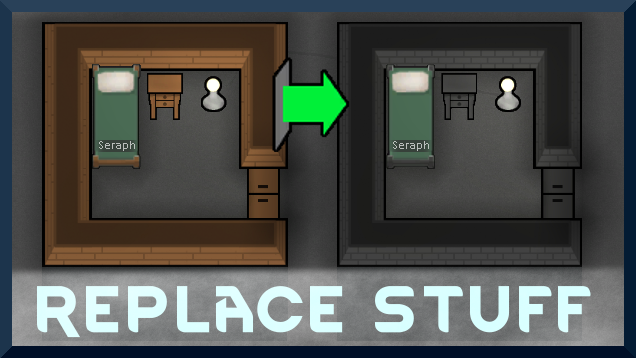
Place buildings anywhere, on top of existing things, and the game will handle it.
Vanilla Expanded Framework
The Vanilla Expanded Framework (VEF) is a core modding library required by many of the Vanilla Expanded mods.