Widgets
 1 / 7
1 / 7⚠️WARNING! WIP⚠️ Although I am happy with how this is working. I am still regularly updating the look and adding features. If you have any suggestions, please add a comment. Description: A UI overlay mod with draggable, snapping info widgets for weather, date/time, critical stock
⚠️WARNING! WIP⚠️
Although I am happy with how this is working. I am still regularly updating the look and adding features. If you have any suggestions, please add a comment.Description:
A UI overlay mod with draggable, snapping info widgets for weather, date/time, critical stockpile counts, colonist mood, skills, and pawn groups. Toggle-activated from a bottom bar tab.Features:
● – Added ◐ – Partially finished/Working on ○ – PlannedNotification widget
● Replaces vanilla notifications with widget ● Live events will show in notification widget.Research widget
● Shows research project progress as a percentage and a progress barPawn Group Widget
Select pawns to add in 5 groups. When active, his replaces the colonist bar so you can have one widget for all pawns, and 4 more for other groups such as medics, fighters etc ● 2x custom buttons choices. Choose from select all ranged, all melee, or best skill ● Safe zone button. Create a zone called “Safe”. When selected from the Pawn Group widget, pawns in that group will be restricted to that zone. ● Colour apparel. All colonists in the group will change apparel colour. ● Draft all pawns in the group ● Set priority for one work type for a day. E.g. have all pawns in the group clean all day ● Quickly change assigned food/apparel/drug profiles ● Bionics, prosthetics, illnesses and scars have their own icons. ● Show progress of infections ● Pawns carrying weapons will show iconsStockpile Widget
replaces vanilla stockpile pane when active ● When active the vanilla stockpile will disappear drop down categories ● items are categorised ● categories can be dragged to reorder by right clickTop skill/mood widget
● Select skill to show top 3 pawns with that skill ● Shows pawns with best/worst moodGeneral Features
- Draggable information at a glance - Widgets snap in place - Widgets can be minimised by clicking the little “-” in the top right corner of the widgetWidget options
● Cog button in bottom right corner of the widget tab will go straight to mod options ◐ colour options and transparency options are at the bottom of the widget tab. o This will need to be improved as colours can make icons and text harder to see.Mod options
improve layout (Ongoing) Leave a comment if you have issues or suggestions. AI Notice - I have used modmixer to make this mod. I will be making the graphics.Similar Mods

Pick Up And Haul
"Greatest hauling mod ever" - Chicken Plucker Colonists will gather stuff in their inventory, then haul it all to a stockpile.

RimHUD
RimHUD is a UI mod that displays detailed information about a selected character or creature.

Vanilla Furniture Expanded - Production
1.1.0 (24/02/2020): We are now 1.1 compatible. 1.0.2 (05/10/2019): Now compatible with Dubs: Hygiene. Also, fixed the linkables not connecting to vanilla stoves. 1.0.1 (04/10/2019): Fixed the bills not being worked. 1.0.0 (04/10/2019): Release This module is a part of Vanilla Fur

Vanilla Cooking Expanded
Mechanics are simple and intuitive - keeping within the vanilla spirit without unnecessary fluff and production chains.
More Management Mods

Vanilla Textures Expanded
1.6.0 (16/07/2020): Updated to 1.3. Honestly, we added so many textures (including almost a full retexture of Royalty) I'm not going to bother. 1.5.0 (11/10/2020): Added faction icons in HQ. 1.4.0 (04/09/2020): Added various new textures: Snowmen, Flatscreen TV, Unfinished appare
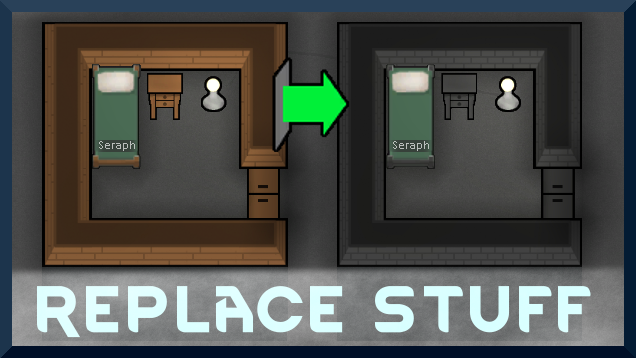
Replace Stuff
Place buildings anywhere, on top of existing things, and the game will handle it.

Vanilla Apparel Expanded
1.2.1 (25/02/2020): Formal wear now counts as royal apparel. 1.2.0 (19/02/2020): This mod is now 1.1 compatible. After a hundred hours playing RimWorld you notice that every pawn wears somewhat the same things. The base game apparel is not really as interesting, unique and variou

Vanilla Fishing Expanded
Vanilla Fishing Expanded is a first module in a brand new mod series “Vanilla Cuisine Expanded” from the Vanilla Expanded team.