商队预告与交易优化 Caravan Preview and Trade Optimization

商队预告与交易优化 本 MOD 在不修改原版商队货物与价格体系的前提下,提供商队信息提前预告与交易操作优化功能,帮助玩家提升交易效率,同时保留原版交易的信息差与平衡感。 核心机制 商队到达前 24 小时将弹出预告通知,内容包含所属派系、商队规模分为小型中型大型、主要出售品类、高价收购品类以及大致价格浮动情况,例如收购价高于均价 20%。预告不会显示具体货物数量与精确价格,保留合理的信息差。玩家可预设冗余物品筛选规则,例如所有品质低于普通的武器、磨损度高于 50% 的衣服、数量超过 100 的食材等,在商队交易界面可一键选中所有符合条件的物品进行出售。交易
商队预告与交易优化
本 MOD 在不修改原版商队货物与价格体系的前提下,提供商队信息提前预告与交易操作优化功能,帮助玩家提升交易效率,同时保留原版交易的信息差与平衡感。
核心机制
商队到达前 24 小时将弹出预告通知,内容包含所属派系、商队规模分为小型中型大型、主要出售品类、高价收购品类以及大致价格浮动情况,例如收购价高于均价 20%。预告不会显示具体货物数量与精确价格,保留合理的信息差。玩家可预设冗余物品筛选规则,例如所有品质低于普通的武器、磨损度高于 50% 的衣服、数量超过 100 的食材等,在商队交易界面可一键选中所有符合条件的物品进行出售。交易物品列表支持按收购价从高到低智能排序,帮助玩家快速找到最值钱的交易品,提升交易效率。
界面与操作
消息栏中的商队预告为可点击条目,点击即可查看详细的预判信息。交易界面顶部新增一键选中冗余按钮和排序方式下拉菜单,操作便捷。全局设置中支持编辑并保存多套冗余筛选规则,适配不同的游戏阶段与需求。
Caravan Preview and Trade Optimization
This mod provides advance caravan information preview and trade operation optimization without modifying the vanilla caravan cargo and price system, helping players improve trade efficiency while retaining the information gap and balance of vanilla trading.
Core Mechanics
A preview notification will pop up 24 hours before a caravan arrives. It includes the faction, caravan size small medium or large, main goods for sale, high-price purchase categories, and approximate price fluctuation, such as purchase price 20% above average. Specific item quantities and exact prices will not be displayed, retaining a reasonable information gap. Players can preset redundant item filtering rules, such as all weapons below normal quality, clothes with wear above 50%, food with quantity over 100, etc. All eligible items can be selected with one click in the caravan trade window for sale. The trade item list supports smart sorting from highest to lowest purchase price, helping players quickly find the most valuable tradable goods and improve trade efficiency.
Interface and Operation
The caravan preview in the message bar is a clickable entry, click to view detailed prediction information. A one-click select redundant button and a sort method drop-down menu are added to the top of the trade interface for convenient operation. Multiple sets of redundant filtering rules can be edited and saved in the global settings, adapting to different game stages and needs.
在此感谢 wordtomod.com 提供的支持,协助完成了大部分工具及各类材料数据的整理工作。
Special thanks to wordtomod.com for their support and assistance in organizing most of the tools and various material data.
Similar Mods

QualityBuilder
With QualityBuilder all buildings that have quality (beds, tables etc) will only be build by the best builder to ensure the best outgoing quality.
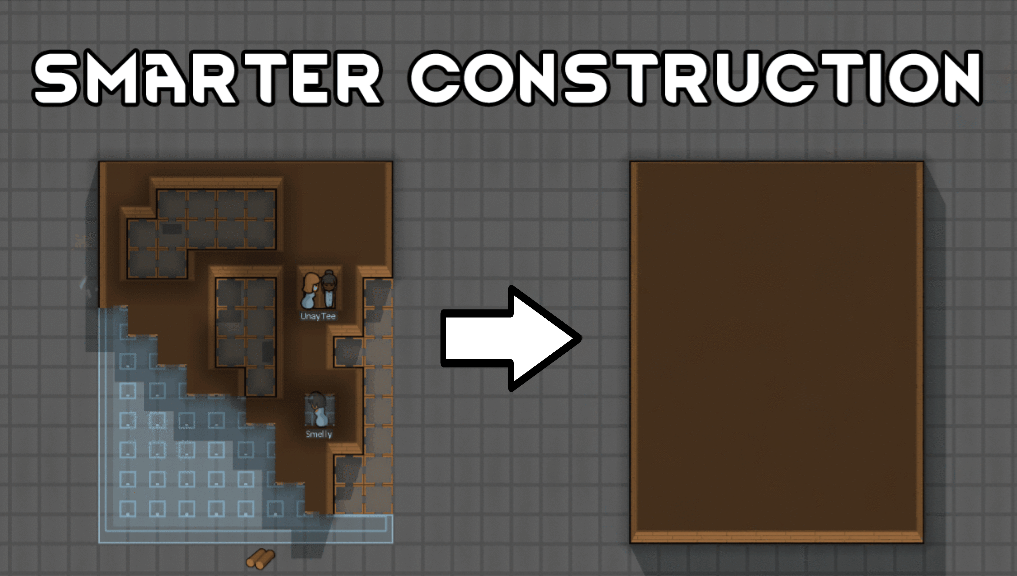
Smarter Construction
Stop your pawns from constantly building themselves into a wall or blocking something that hasn't been built yet.


Vanilla Events Expanded
See changenotes. Vanilla Events Expanded is one of our oldest mods, and I’m honestly shocked it’s holding up so well - it’s pretty resistant to game updates and bugs because of its simplicity. Back when I first made it with Kikohi, we didn’t know much about modding. I just wanted
More Mods by Lament
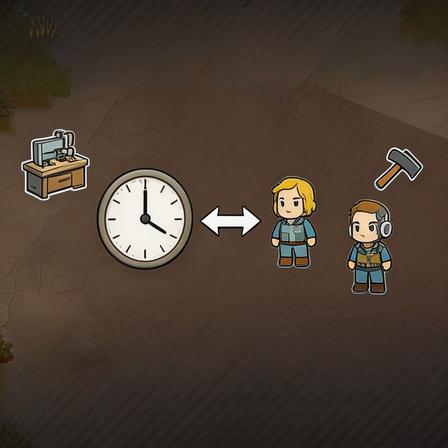
智能岗位补位与轮班系统/Smart Job Backup and Shift System
智能岗位补位与轮班系统 智能补位机制 当关键岗位的殖民者离开工位超过 20 秒,包括吃饭、睡觉、休息、响应应急任务时,系统自动匹配符合技能要求的空闲殖民者临时顶岗。原岗位人员返回工作区后,顶岗人员自动回到自身原工作。 Intelligent Backup Mechanism When a colonist in a key position leaves the workstation for more than 20 seconds for eating, sleeping, resting or responding to emergency tas

更多近战武器 Melee Arsenal
本模组新增八种风格各异的近战武器,丰富近战战斗玩法,覆盖游戏全阶段。 包含早期木棍与短刀,基础级战斧钉头锤长矛,以及高级双手剑匕首链枷。各武器属性各有侧重,战斧提升砍树效率,部分武器对护甲有额外伤害,长矛攻击范围更远,匕首可与远程武器同时装备。 Melee Arsenal This mod adds eight distinct melee weapons to enrich melee combat gameplay, covering all stages of the game.

智能俘虏解绑 AI Smart Prisoner Unshackle AI
智能俘虏解绑 AI Smart Prisoner Unshackle AI 本模组优化俘虏相关的行为逻辑,解决原版中俘虏越狱被击倒制服后,需要玩家手动点击解除束缚的繁琐痛点,全程为纯行为逻辑修改,不新增任何贴图资源。 自动解绑需要同时满足多项触发条件,囚犯被击倒且制服完成,伤势处于稳定状态,并且正处于牢房内部。满足条件后,医疗殖民者会自动前往为倒地的囚犯解除束缚。解绑过程不会改变囚犯身份,不会将其自动释放,仍然正常保持关押状态。如果囚犯处于重伤濒死状态,会优先执行治疗操作,待伤势稳定后再进行解绑。 模组设有全局开关,可以随时关闭功能,防止刚抓捕的逃犯在状

智能畜牧 AI Smart Livestock AI
本模组优化畜牧生产的操作逻辑,解决原版动物达到产出条件后需要手动逐个点击操作的繁琐问题,全程纯逻辑修改,不新增任何贴图资源。 在动物的属性面板中新增自动剪毛和自动挤奶两个独立开关,开启后对应动物将自动进行产出处理。自动处理触发需要同时满足条件,动物满足产出要求,牧场范围内有可用的动物处理站,并且有处于空闲状态的驯兽师。产出的物品会直接存入附近的储存区,无需额外手动搬运。 功能设有平衡限制,动物处于受伤或者狂暴状态时不会执行自动处理。可以设置该功能仅对已驯服的动物生效,避免对野生动物产生误操作。 Smart Livestock AI This mod op
More Management Mods

Dubs Mint Menus
Adds new list boxes for recipe bills, health bills, plant selection, architect menu, research menu, and a quick select menu for designators, making it easier to find things when lots of mods are running.



Vanilla Cooking Expanded
Mechanics are simple and intuitive - keeping within the vanilla spirit without unnecessary fluff and production chains.